We know everyone likes their terminal to look a certain way. If you’re using SimpleSSM regularly, it’s probably open all day—switching profiles, jumping between instances, tailing logs, or hopping into sessions. So we decided it was time to make that experience a little more you.
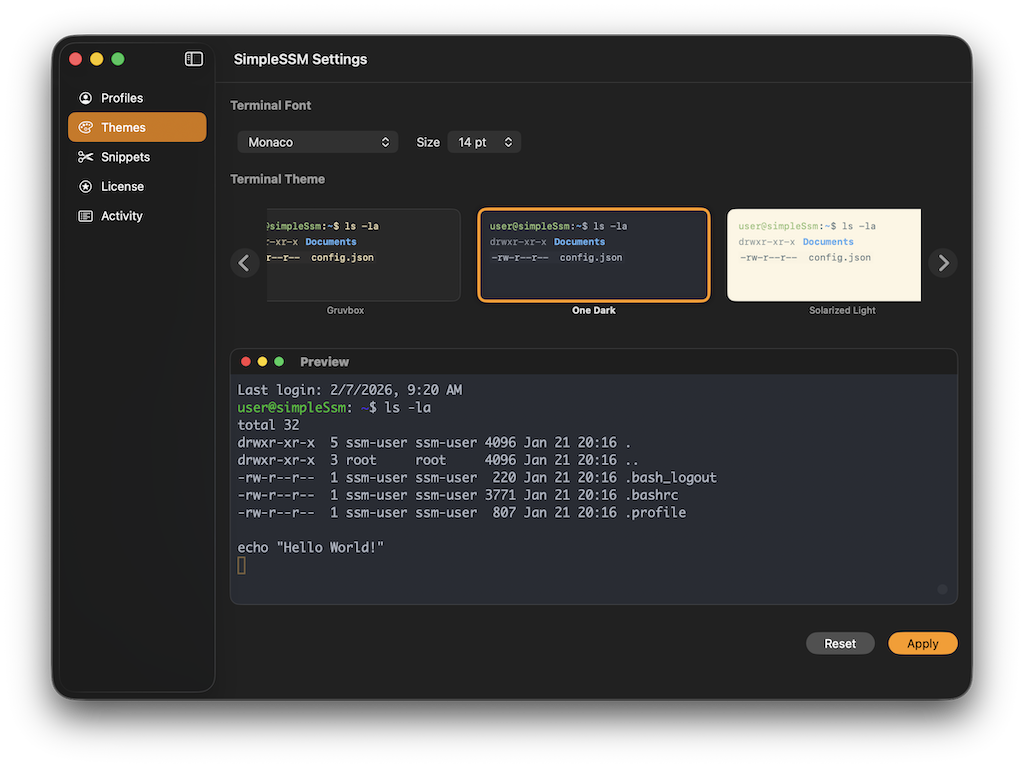
Today, we’re excited to introduce Themes in SimpleSSM
Why themes?
Everyone has preferences.
Some folks want high contrast. Others want something soft and muted. Some want their SSM client to match their terminal, their editor, or their OS theme exactly. Themes let you personalize SimpleSSM so it fits naturally into your workflow instead of fighting it.This isn’t about flashy colors or gimmicks—it’s about comfort, readability, and focus.
You’ll find Themes in the Settings menu. We hope you enjoy them!
What’s next?
In the coming weeks we’ll be releasing features for Snippets and SSO compatibility with AWS Identity Center. Stay tuned!